
Transform the way you work: Automation and AI with Microsoft Power Automate

Today, automation and artificial intelligence are key to driving efficiency and competitiveness in the workplace. As businesses face an increasing volume of repetitive tasks and complex data, automation with AI is emerging as a solution to streamline processes and improve decision making. Microsoft Power Automate stands out as a tool that enables organisations to automate workflows easily and efficiently, using advanced AI capabilities. This platform enables the creation of automated workflows that integrate applications, services and devices without the need for programming skills.
Latest changes to Power Automate
Between 2023 and 2024, Microsoft Power Automate has undergone significant enhancements, focused on making automation more accessible and powerful. One of the main new features is deeper AI integration. This enables the creation of automated flows using natural language, which greatly simplifies the process.
Unlike traditional automation, AI flows allow large language models (LLMs) to dynamically select the most appropriate actions. This creates a more flexible and adaptive automation that simplifies the creation of complex processes.
Currently, the steps to follow would be:
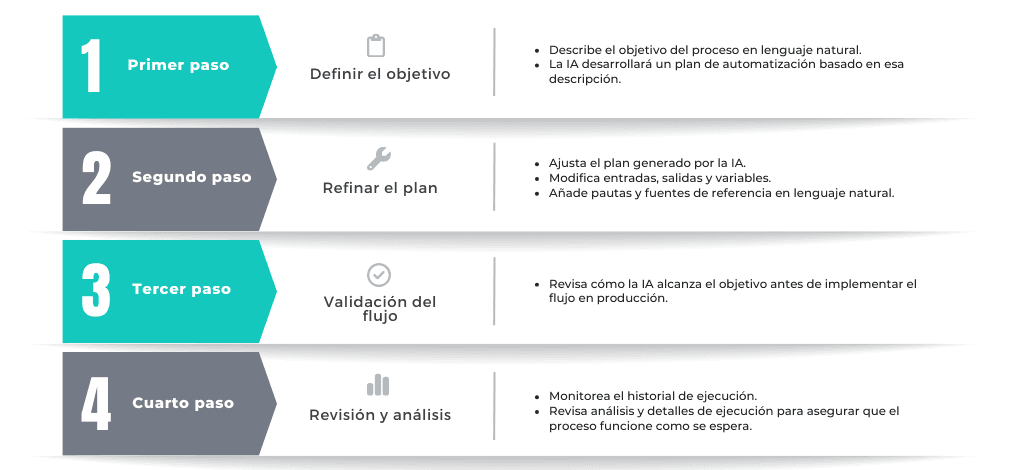
Define the objective:
- Describe the goal of the process in natural language.
- The AI will develop an automation plan based on that description.
Plan refinement:
- Adjusts the plan generated by the AI.
- Modifies inputs, outputs and variables.
- Adds guidelines and reference sources in natural language.
Flow validation:
- Reviews how the AI achieves the goal before implementing the flow in production.
Review and analysis:
- Monitors execution history.
- Reviews analysis and execution details to ensure the process works as expected.
Automation with Multi-Modal Recording and IA
Traditionally, process automation required advanced technical knowledge and a deep understanding of coding. However, low-code tools and drag-and-drop design have democratised access to automation, making it more accessible to a wider audience. Power Automate takes this concept a step further with its multimodal AI recording. It allows users to automate processes intuitively and efficiently.
With multimodal AI recording, users can train the desktop recorder using a combination of visual understanding and voice processing. This approach allows users to share their screen and describe in real time the actions they are performing. It is similar to training a new employee: the user demonstrates and explains the process as they perform the tasks. Power Automate’s AI uses this information to automatically generate a desktop flow in a matter of minutes.
Large Scale Automation
The Automation Center in Microsoft Power Automate provides advanced management for large-scale automation. It also facilitates continuous monitoring and optimisation of workflows. This tool centralises control of automations. It enables administrators to quickly identify problems and adjust processes to improve performance and operational efficiency. This is crucial in complex business environments.
How to start using Copilot with Power Automate?
It should be noted that this option is only available for Power Automate Premium license:
- Visit the Power Automate control panel and log in.
- Select ‘Desktop Flow Activity’ in the left navigation pane.
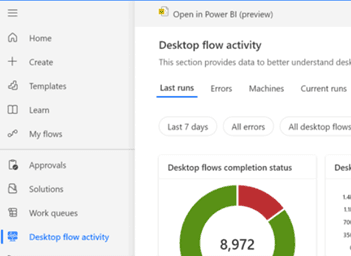
- Select the ‘Copilot (preview)’ button in the top right corner.
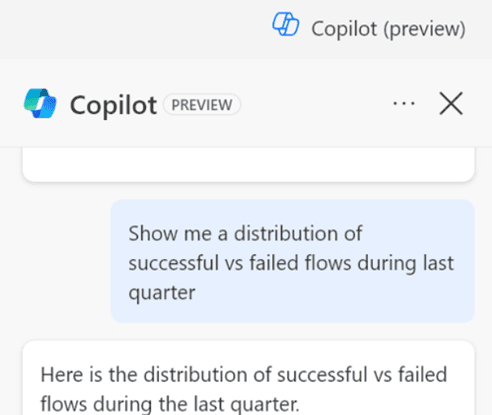
- Once the Copilot panel opens, choose one of the pre-defined directions or type in your own.
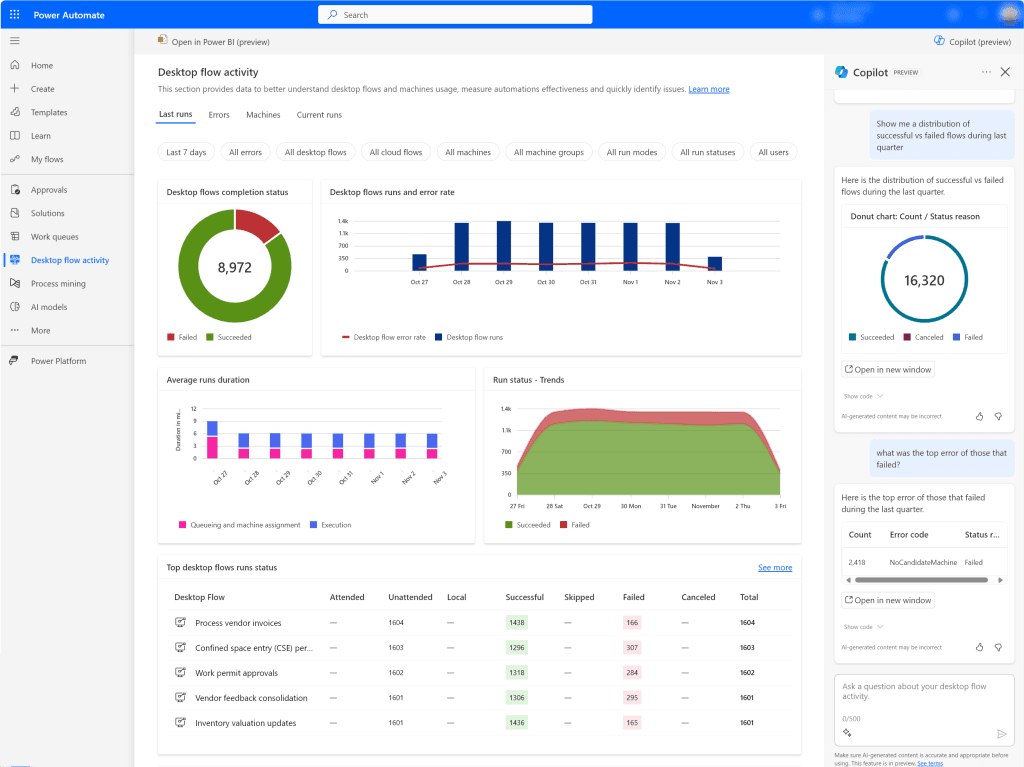
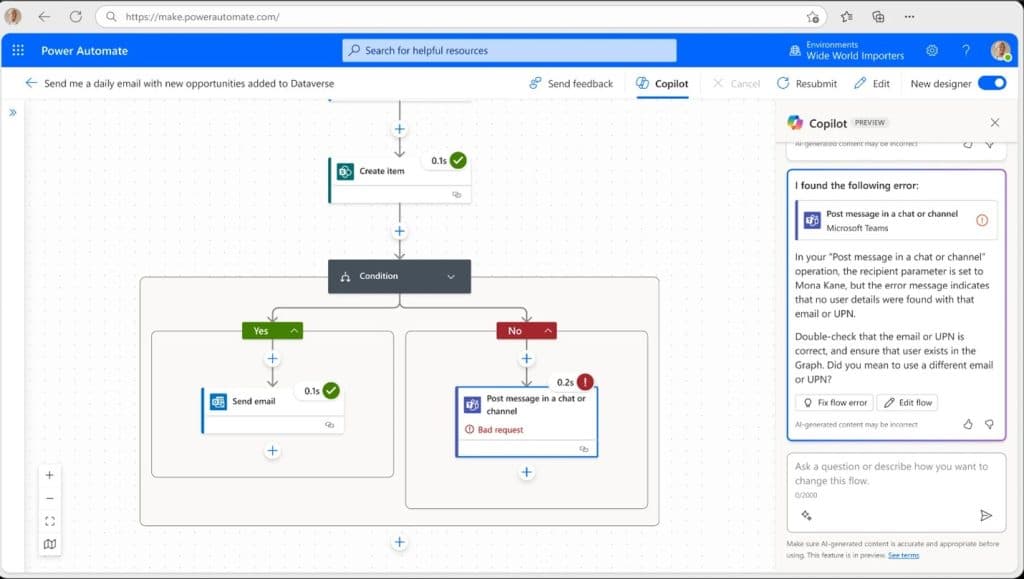
This tool will also facilitate the identification and resolution of errors during the execution of flows. In addition, it offers proactive suggestions to solve common problems, such as errors in connection actions or failures in the flow design. Thus, it improves efficiency in the management and correction of automated flows.
Introduction of Personalised Recommendations
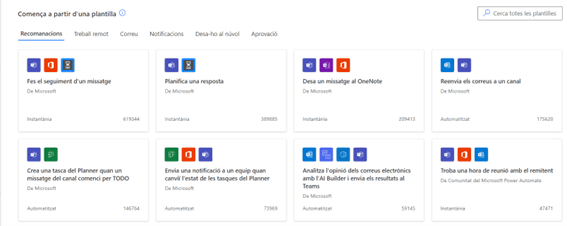
If you’re not sure where to start with automation, Power Automate uses Microsoft Graph to offer personalised suggestions based on each user’s role. This system ensures that recommendations are relevant and specifically tailored to maximise efficiency and productivity. Always taking into account the particular needs and roles of each person in the organisation.
Conclusion
Innovations in Microsoft Power Automate are revolutionising work efficiency, enabling users to transform their work methods through intelligent and adaptive tools. These enhancements invite you to explore new possibilities in automation, encouraging businesses to adopt and leverage these advanced technologies to optimise their operations.
You can take a look at all the features in this guided tour of Power Automate.