
Microsoft Dynamics 365, much more than CRM and ERP solutions

A couple of weeks ago, we got to see Microsoft overtake Apple and become the most valued company on the planet. It’s been a year since the company founded by Bill Gates surpassed Californians. As we all know, there is no bigger developer in the software world than Microsoft. Software that we use every day, both in our private and professional lives. Microsoft continues to keep a lot of advantage over other solutions on the market in performance, efficiency and, above all, integration with other Apps. If you want a summary about Dynamics 365, we can tell you that it is a platform that unites CRM and ERP functionalities. But Dynamics has been offering more than meets the eye for a long time.

What is one of the main reasons, then, for Dynamics to be one of the leading tools in all sectors of the economy? Well, as we have mentioned before, its integration with other Apps, both from Microsoft and from third parties.
Which integrations are the most useful in Dynamics 365?
Outlook
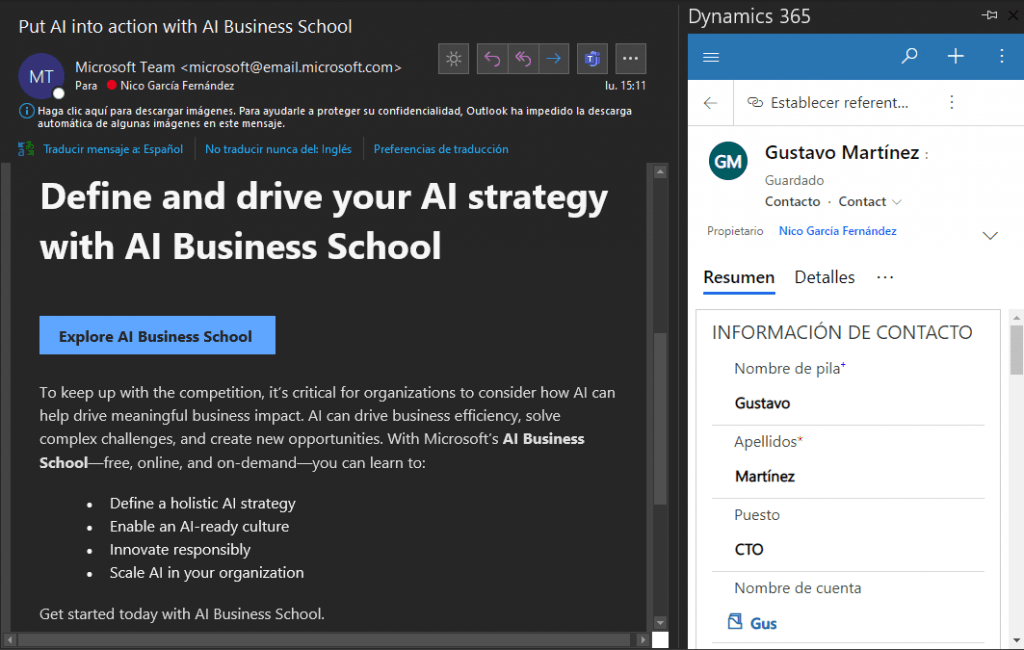
Let’s start with Outlook, Microsoft’s main email service. A service that we see every morning, afternoon and perhaps work nights. A key application in our personal and business management. Precisely for this reason, once you have Dynamics 365 within Outlook, you will not need to leave your email to register or consult data, for example.
Microsoft Teams and SharePoint
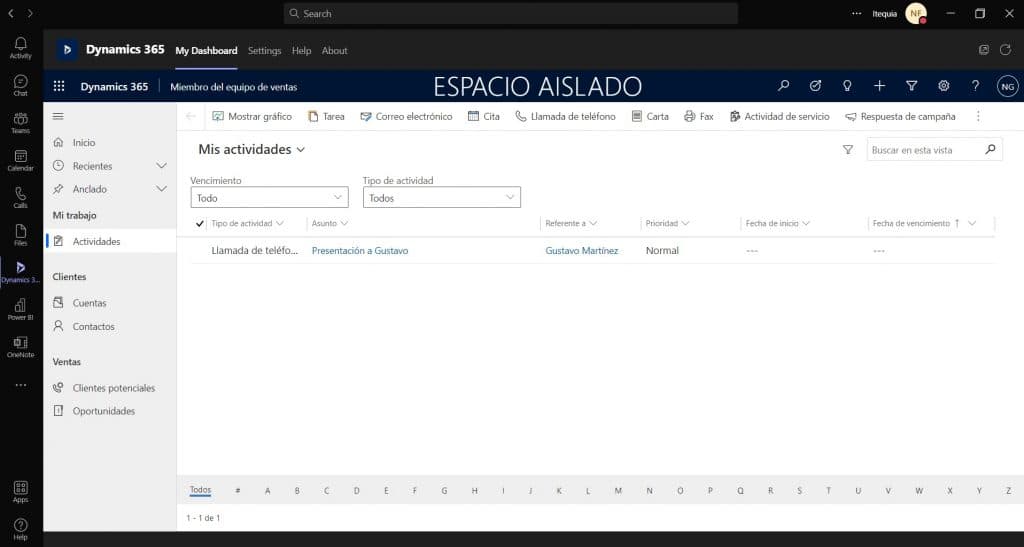
If we talk about Apps that we start using every day, we can talk about Teams. Thanks to teleworking from home, Microsoft’s interconnected suite has become one of the most sought after in the last two years and, as it could not be less, it is already integrated into Dynamics with its own connector.
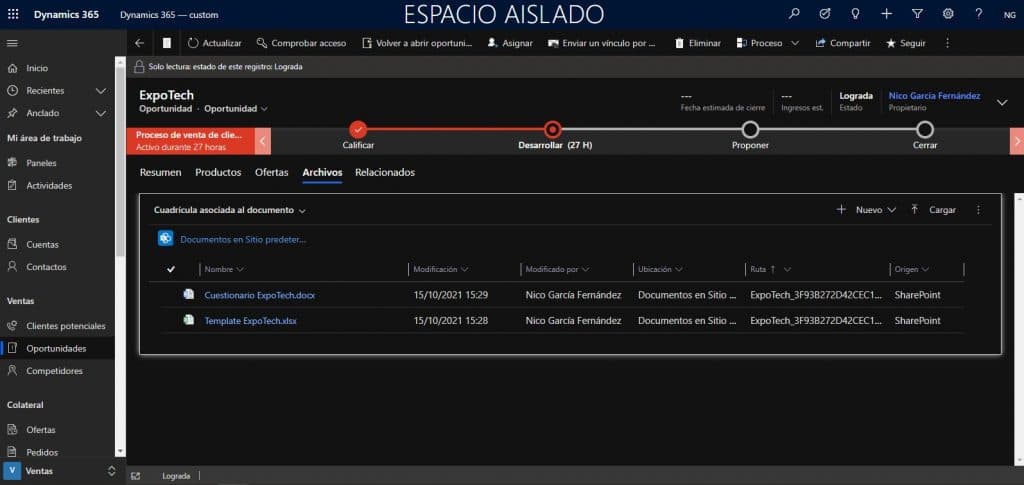
It is common for business processes to generate documents and their management is essential in the day-to-day of a company. With the integration with SharePoint, you can manage access permissions, control document versions and much more.

Office 365
Office 365 is also included in the Dynamics 365 licenses. Word, Powerpoint, OneNote, and most of all, Excel. One of the great points in favor of coordinating with Dynamics is the ease of importing and exporting Excel records, or the ability to generate templates for different types of documents in Word.

A new capacity: Power Platform
One of Microsoft’s latest (and exciting) tools is Power Platform: a platform that enables non-technical users to squeeze the entire Microsoft application ecosystem to optimize company productivity. And, again, Microsoft has not skimped on connections between its Apps, because Power Platform is already starting to work with Dynamics.
First, with Power BI you can collect data from multiple sources and combine it to obtain visualizations that add value to the business.

From Power Automate, you can create automated workflows to respond or run automatically to Dynamics 365 actions, eliminating wasted time.

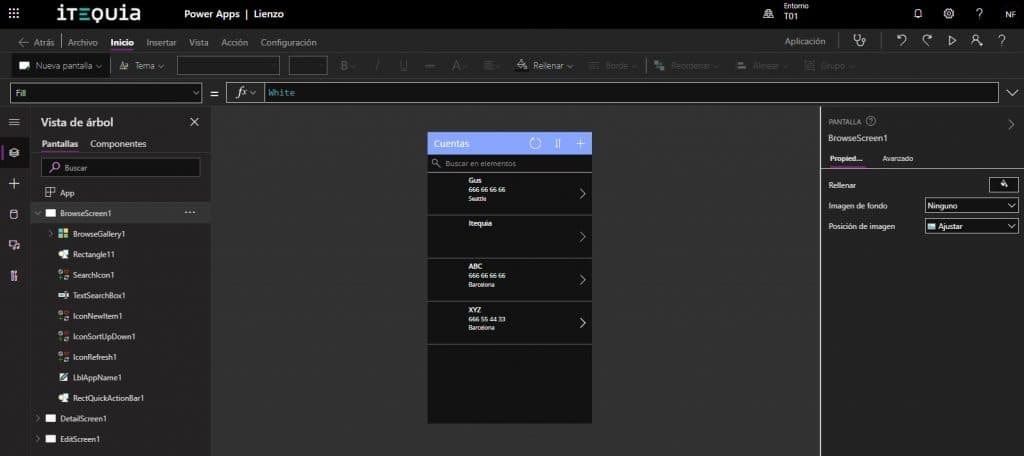
We can also create our own applications in PowerApps that connect to the data stored in our CRM and ERP solutions in Dynamics. As well as generating dashboards and reports that update automatically no matter where the changes are made.
In short, Microsoft Dynamics 365 allows us to go beyond monolithic and purely transactional CRM and ERP systems, being able to adapt the use of these systems to the needs and characteristics of our organization, a fundamental part of its management.