
Automate and enhance efficiency with generative AI in Power Automate
In this article, we share the latest features of AI Builder in Power Automate. These functions are designed to empower business users without coding knowledge, allowing them to access content processing tools driven by generative AI.
Enhance Your Workflows with OpenAI’s GPT
Prompts are natural language instructions provided by users to AI models to generate specific responses. You can read more about creating effective prompts in this article by Itequia: Guide to Prompts for ChatGPT: Master Conversational AI – Itequia.
Create Dynamic Text with GPT
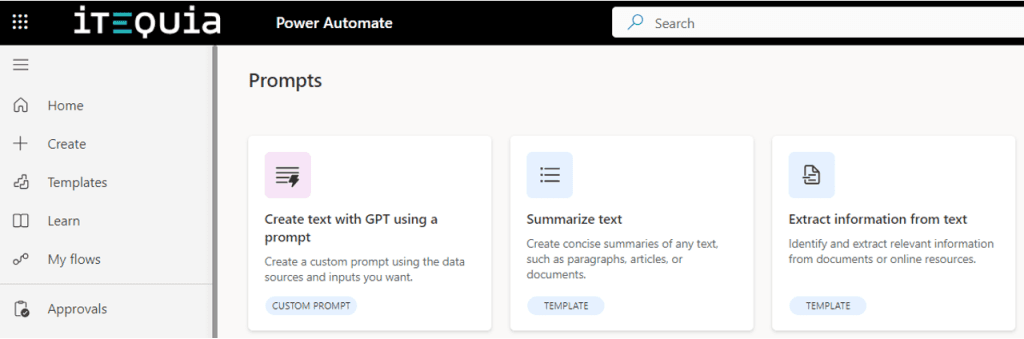
The new “Create text with GPT using a prompt” feature enables users to dynamically create text content. This function uses instructions to guide the workflow, either in the cloud or on the desktop. It allows processing incoming emails, analyzing documents, and extracting information from data.
New Features for Connecting Business Knowledge
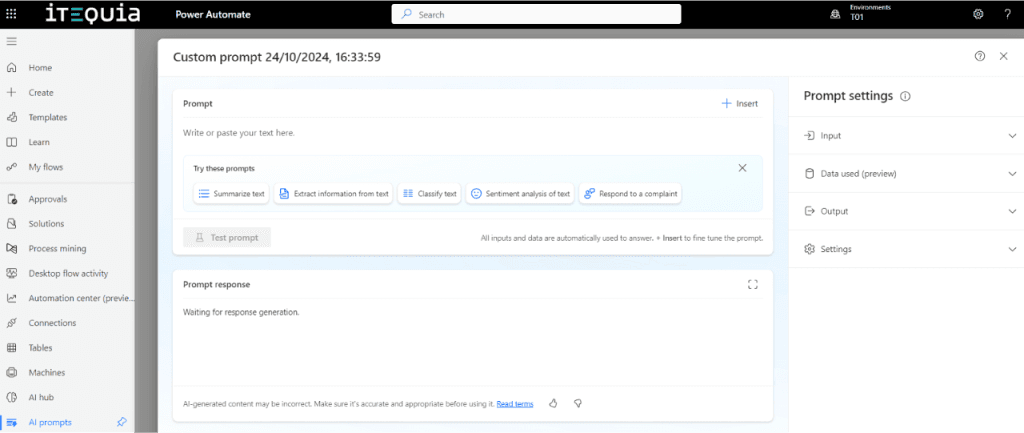
The new update introduces more features for prompts, enabling users to connect their business knowledge with prompts to generate more reliable results.
Business knowledge is crucial for creating effective prompts because it ensures relevance, accuracy, and contextual precision. Understanding specific domains, language, and business contexts helps craft prompts aligned with company goals and processes. This leads to optimized workflows, consistent results, and enhanced user experiences by providing personalized and intuitive interactions.
Integration of Data Sources in Prompt Builder
The Prompt Builder interface now includes a new option to add data sources. This lets you select a Dataverse table and its related entities as associated knowledge for your prompt. The selected fields will be utilized by the generative AI model, expanding its knowledge base with specific and current data from your organization, which helps provide more contextualized responses.
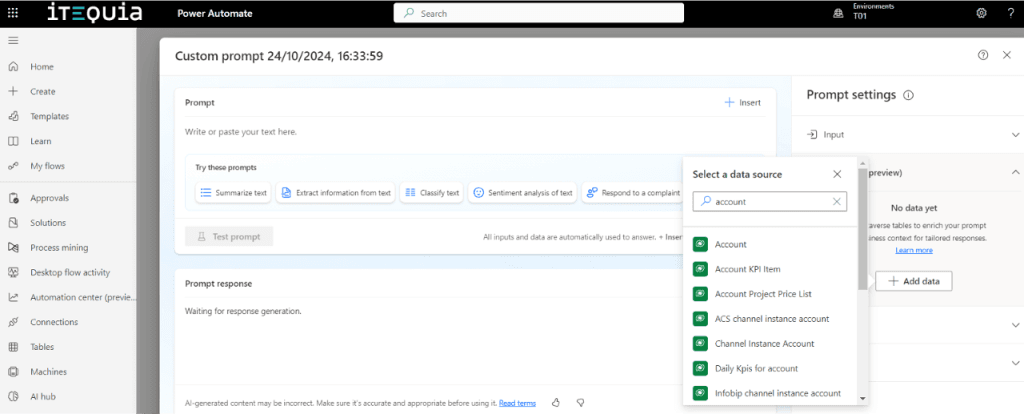
The new interface allows you to filter data and add it to your knowledge source. You can also reference associated knowledge online within your natural language instruction. This unlocks many new company-specific actions. For instance, you can generate summaries of account interactions based on Dataverse data, categorize content according to custom categories stored in Dataverse, or suggest the most appropriate actions to respond to a customer inquiry based on historical data stored in Dataverse.
Selecting the GPT Model and Adjusting Temperature
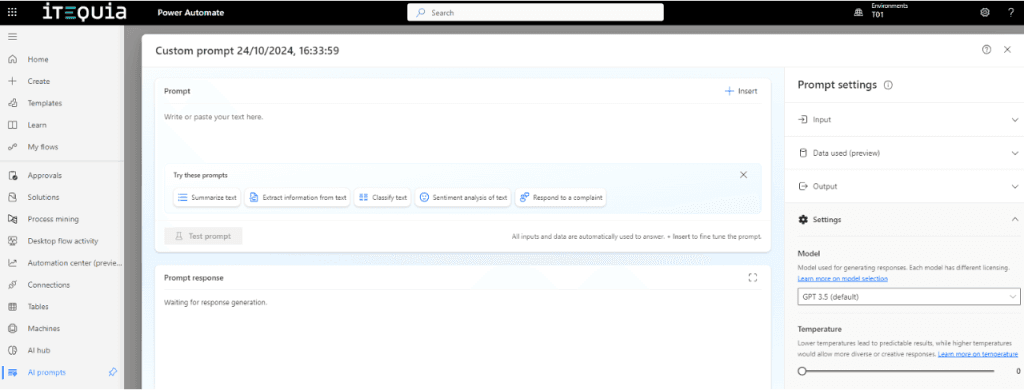
Another new feature for prompts is the ability to select which GPT model to use for processing an action. Users can choose between GPT-4, GPT-4o, or GPT-3.5 for each prompt, optimizing costs and performance based on the task. Additionally, there is a slider to adjust the model’s temperature, allowing it to be more deterministic or creative, as needed.
JSON Output Format for Reliable End-to-End Automation
By default, prompts generate text output that automates data creation for end-to-end workflows. To facilitate analysis and reuse of this data, Microsoft has introduced a new feature that allows generating structured output in JSON format. This ensures that generated data follows a consistent schema, making it easier to use in subsequent workflow actions. This capability is particularly useful when generating structured content such as project timelines or extracting specific data from documents, like fields in invoices or purchase orders.
To activate the structured output format, you can select JSON as the output format in the Prompt Builder interface. The target JSON structure is automatically detected based on the provided prompt instructions, but you can also edit the schema to enforce a specific output structure.
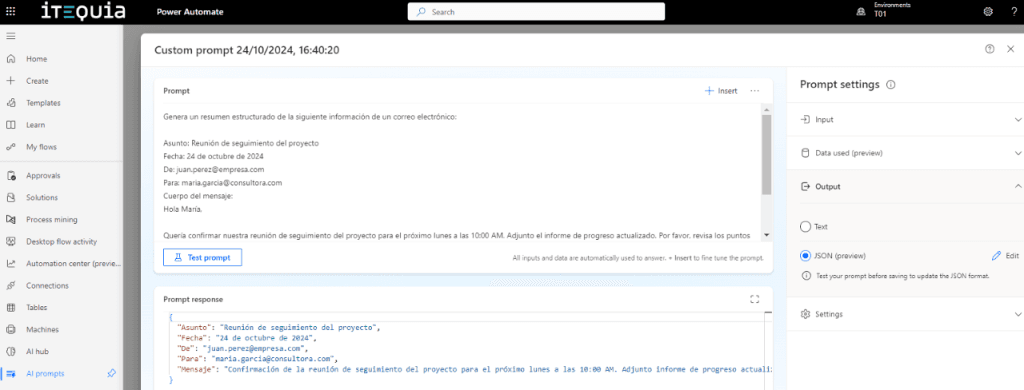
Once the desired schema is defined and the prompt is saved, the output format is locked. This ensures that the request always generates the same structured format. Moreover, the output fields are automatically available for use in subsequent actions within Power Automate.
Conclusion
The new tools in AI Builder in Power Automate empower users to optimize their workflows and improve efficiency through automation and the use of generative AI.
Feel free to contact us for more information on implementing these innovations in your organization and transforming your way of working.
No dudes en contactarnos para más información sobre cómo implementar estas innovaciones en tu organización y transformar tu forma de trabajar.